Reading the Ribbon Chip
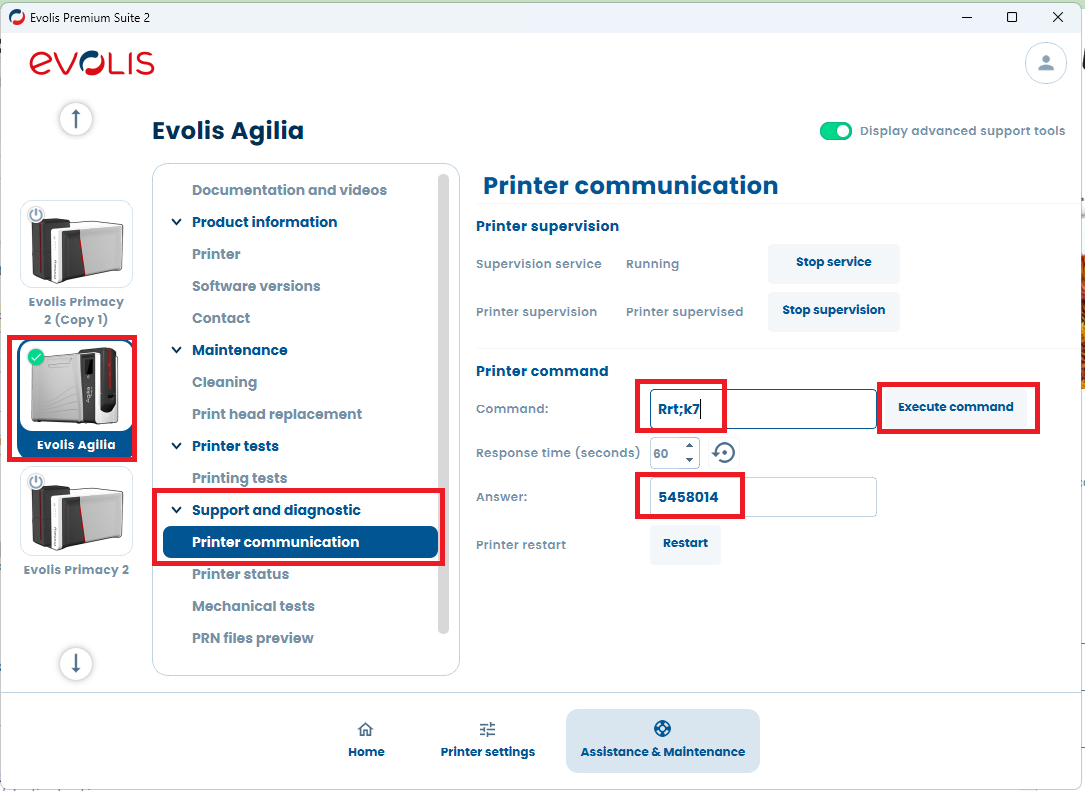
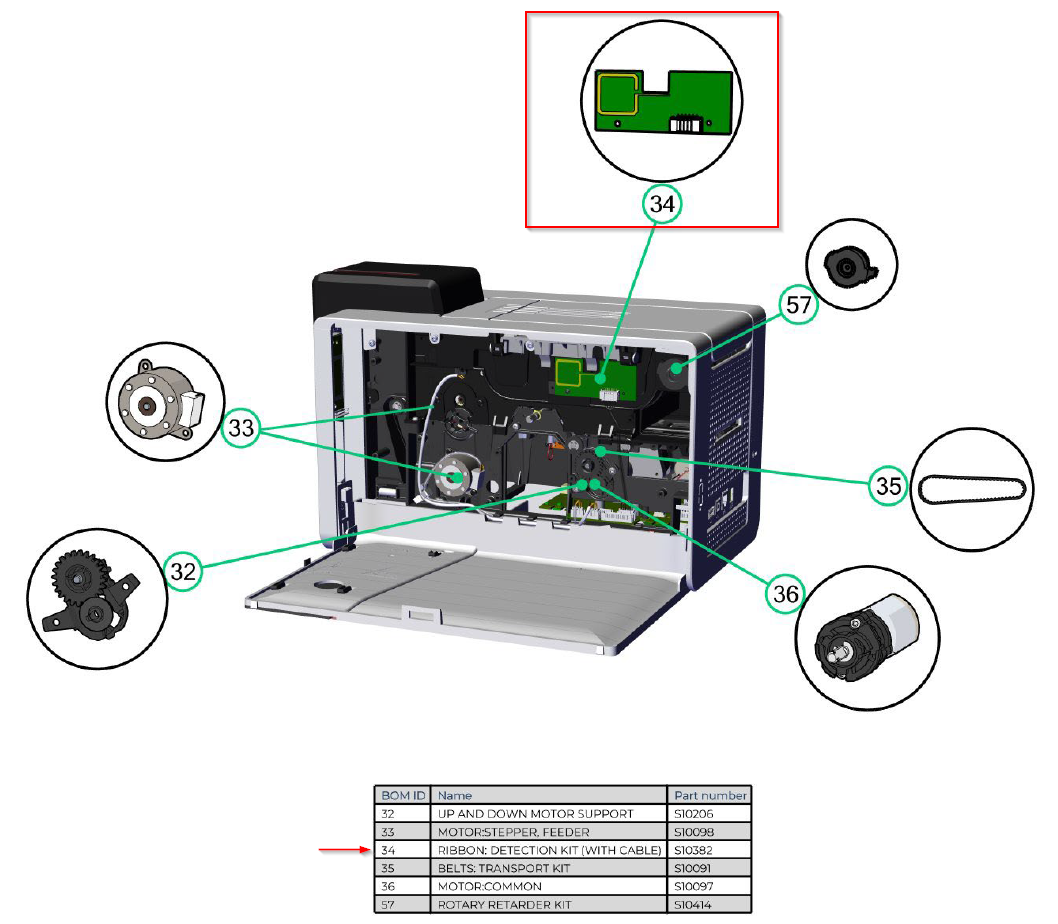
To retrieve the ribbon chip information through the Ribbon Detection Kit board, run the following command:
Rrt;k7 |
If successful, the printer will return the ribbon lot number.
Troubleshooting Intermittent Ribbon Read Failures
If the ribbon is only detected intermittently, the issue may be related to belt alignment.
1. Locate the Belts
The belts are positioned on the left side of the printer.
2. Check Belt Alignment
Ensure that:
- Each belt is properly seated on its pulleys
- No belt is loose, slipping, or misaligned
- The pulleys rotate freely without obstruction
Correct belt placement is essential for accurate ribbon‑chip reading.
The screenshot shows the section to run Rrt;k7 Evolis Premium Suite needs to run as an administrator.